 Ultimate guide
Smart Locks for Omaha Homeowners: Key Benefits
Last Updated: October 23, 2026
Quick Summary
Smart locks give Omaha homeowners keyless entry, remote access, and activity logs that show who entered and when. They are worth it if you manage access for other people, need to let someone in while away, or have had a lockout in the past two years.
- Most smart locks run on four AA batteries and last six months to a year.
- Cold weather slows battery chemistry, so change batteries before the first hard freeze.
- Set a distinct code for each person so the activity log shows exactly who entered.
- Confirm door thickness, deadbolt backset, and hub requirements before buying a smart lock.
- Two or more checks on the decision list mean a smart lock will likely earn its place.
Table of Contents
- Why Omaha Homeowners Are Choosing Smart Locks
- Smart Locks vs. Traditional Locks: What Changes at Your Door
- Key Benefits of Smart Locks for Omaha Homeowners
- Are Smart Locks Worth It for Your Home?
- Smart Lock Battery Life: What to Expect
- Smart Lock Installation: What Omaha Homeowners Should Know
- Conclusion
- Frequently Asked Questions
Why Omaha Homeowners Are Choosing Smart Locks
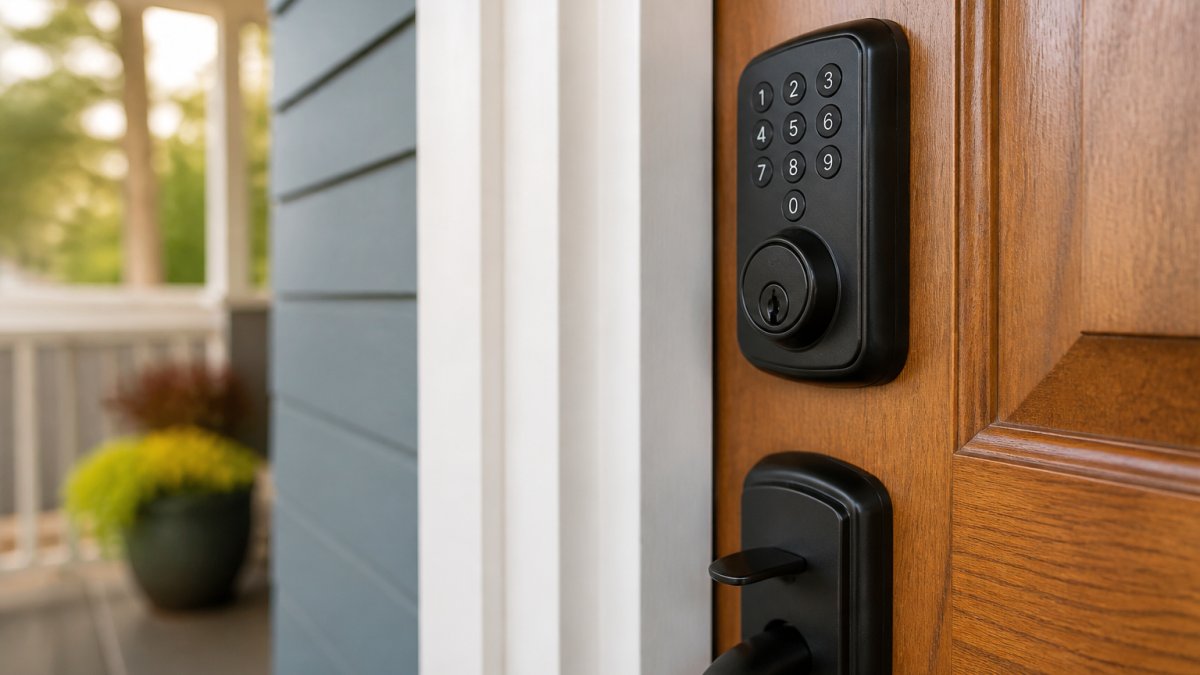
Smart locks are keyless entry systems that let you unlock, lock, and manage a door through a phone app, keypad, or voice command instead of a physical key. For homeowners across the Omaha metro, the appeal comes down to one thing: control. You decide who gets in, when, and for how long, without cutting a new key or hiding a spare under the mat.
At Blackshirt Lock & Key, we install and service residential locks throughout Omaha and Council Bluffs, and the questions we hear have shifted. Now homeowners want to know whether a smart lock is worth the switch, how long the battery lasts, and whether it will survive a Nebraska winter.
The short answer: for most households, yes, with caveats. A smart lock solves real problems, like letting a dog walker in while you're at work or giving a contractor access for a single afternoon. It also introduces new ones, like Wi-Fi reliability and battery maintenance. Below, we break down what changes at your door, what the benefits actually look like in daily use, and how to decide whether a smart lock fits your home.
Smart Locks vs. Traditional Locks: What Changes at Your Door
The core difference is mechanical versus electronic authentication. A traditional lock verifies a cut key; a smart lock verifies a credential, whether that's a PIN code, a phone, a fob, or a fingerprint. Everything else follows from that shift.
Here's what actually changes in practice:
- Key management disappears. No more copying keys for family or renters. You issue a code and revoke it later.
- Access becomes trackable. Most models log who entered and when, which a mechanical lock simply cannot do.
- Power becomes a dependency. A traditional lock works forever; a smart lock needs batteries and, for remote features, a network connection.
- Installation gets more involved. Most smart deadbolts fit standard door prep, but the door, frame, and deadbolt bore need to be compatible.
If you're not ready to go electronic, rekeying remains a solid middle ground. Our guide to best residential rekeying services in Omaha (2026) covers what that involves and when it makes more sense than a full swap.
Key Benefits of Smart Locks for Omaha Homeowners
The benefits split into three practical categories: convenience, remote control, and visibility. Each one solves a specific, recurring headache rather than a hypothetical one.
Keyless entry and no more lockouts
The headline benefit is simple: you cannot lock yourself out if you don't need a key. A keypad code or phone unlock gets you in even when your keys are on the kitchen counter. For families with kids who forget keys, or for anyone who has paid for a late-night lockout, that alone justifies the cost.
Lockouts still happen, of course, usually when a battery dies or a code is forgotten. Our step-by-step guide to safe entry walks through what to do when they do.
Remote access and guest management
Remote access lets you unlock a door from anywhere with an internet connection. In practice, this is the feature homeowners use most. You can let a plumber in while you're at work, give a house sitter a temporary code that expires, or grant a neighbor access for a package delivery. Temporary and scheduled codes replace the spare-key-under-the-planter routine entirely.
Activity logs and access control
An activity log records each unlock event with a timestamp. For rental property managers in Council Bluffs and Omaha, that record is genuinely useful: you know when a cleaner arrived, whether a unit was accessed between tenants, and who used which code. Access control also means you can revoke a credential instantly if a relationship ends or a code is compromised.
Are Smart Locks Worth It for Your Home?
Smart locks are worth it if you regularly manage access for other people, want a record of who enters, or have dealt with repeated lockouts. They're less compelling if you live alone, rarely have visitors, and prefer a lock that never needs a battery.
A simple way to decide:
- Do you give keys or codes to more than two people?
- Do you need to let someone in while you're away?
- Have you had a lockout in the past two years?
- Do you manage a rental unit or a small business entrance?
- Are you comfortable with an app and periodic battery checks?
Two or more checks and a smart lock will likely earn its place. Zero checks and a quality mechanical deadbolt is the more sensible spend.
For Omaha homeowners who want the convenience without the setup work, our residential locksmith team handles smart lock installation, deadbolt upgrades, and rekeys on-site. Because we're fully mobile, there's no shop drop-off and no waiting room.
Smart Lock Battery Life: What to Expect
Most smart locks run on four AA batteries and last somewhere between six months and a year, depending on how often the lock is used and whether it maintains a constant wireless connection. Models with frequent remote access and video features drain faster than a keypad-only unit.
Cold weather is the variable homeowners underestimate. Battery chemistry slows in low temperatures, so a lock that reports 30% in October may behave differently in a January cold snap. Two habits prevent almost every battery-related lockout:
- Replace batteries on a schedule, not when the lock warns you. A fall change-over before the first hard freeze is the safest pattern.
- Keep a physical key or a backup entry method. Most smart locks retain a keyway or a hidden backup, and you should know how yours works before you need it.
Here's what the article says to expect from smart lock batteries and how to avoid a dead-battery lockout.
| Item | Value | Note |
|---|---|---|
| Battery type | Four AA batteries | Standard for most smart locks |
| Battery life | Six months to a year | Depends on use and wireless connection |
| Faster drain | Frequent remote access and video features | Drain faster than keypad-only units |
| Cold weather | Battery chemistry slows in low temperatures | 30% in October may behave differently in January |
| Replacement habit | Change on a schedule, not a warning | Fall change-over before first hard freeze |
| Backup entry | Physical key or hidden backup | Know how yours works before you need it |
Smart Lock Installation: What Omaha Homeowners Should Know
Most smart deadbolts replace a standard deadbolt and reuse the existing door prep, which makes installation a fairly straightforward job for a compatible door. The variables that complicate it are door thickness, backset, frame alignment, and whether the lock needs a hub or bridge for remote features.
Before you buy, confirm three things: your door thickness, your deadbolt backset, and whether your model requires a separate hub for Wi-Fi. Then decide who installs it. A misaligned strike plate or an over-tightened bolt can cause the lock to bind, which drains batteries and eventually jams the mechanism. Professional installation avoids that cycle.
Pricing for residential lock installation varies by lock type, door condition, and hardware, so we quote each job directly rather than publishing a flat number. Readers who want broader pricing context can review our residential lock installation cost guide.
Conclusion
Choosing a lock is really a question about how you want to manage access: who gets in, how you track it, and what happens when something goes wrong. Smart locks answer those questions well for most households, provided you plan for batteries, check your door's compatibility, and get the installation right the first time.
Blackshirt Lock & Key provides fully mobile locksmith service across the Omaha and Council Bluffs area, with on-site key cutting, programming, and professional installation of residential and commercial-grade locks. Before you hire anyone, our tips for choosing a reliable locksmith are worth a read. We're fully insured and quote straightforward pricing with no hidden fees. If you're weighing a smart lock or ready to install one, call us to schedule service at your door.
Frequently Asked Questions
Can you still unlock a smart lock if the power or Wi-Fi goes out?
Yes. Most smart locks run on batteries, not household power, so a power outage does not affect them. If Wi-Fi drops, you lose remote app access, but the keypad, physical key, and any stored codes still work. Check the lock's manual for the exact backup method. For Omaha homeowners, keeping a physical key stored safely off-site is a simple safeguard against a dead battery or network issue.
Are smart locks safer than traditional locks?
They offer different strengths. Smart locks add features like auto-locking, access logs, and unique codes for guests, which reduce risks from lost keys and unauthorized copies. Traditional deadbolts have fewer failure points and no battery or software to manage. The best choice depends on your door and habits. A professional installation ensures either type is fitted correctly, which matters more than the lock category alone.
How long does smart lock battery life typically last?
Most smart locks use four AA batteries and last between six and twelve months, depending on usage. Frequent motor-driven locking, extreme cold, and constant app connectivity shorten battery life. Omaha winters can drain batteries faster, so check levels monthly from November through March. Many locks send a low-battery alert to your phone, and some models allow a 9-volt jump-start at the exterior keypad.
Do smart locks work with existing deadbolts, and can they be rekeyed?
Many smart locks replace the deadbolt entirely, while some retrofit kits attach to your existing thumb turn. Compatibility depends on your door thickness and backset. Most smart locks can be rekeyed or reprogrammed, but the process varies by brand. A locksmith can confirm fit before purchase and handle rekeying so old codes or keys no longer grant access.