 How-to
Upgrading From Traditional Keys to Electronic Locks
Last Updated: November 19, 2026
Quick Summary
Upgrading from traditional keys to electronic locks means replacing the keyway with a keypad, fingerprint reader, or smartphone credential while keeping the deadbolt, so you issue and revoke codes instead of copying metal. First confirm door thickness, bore hole, backset, and deadbolt type, then choose an access method with a mechanical key override.
- Most residential doors run 1-3/8 to 1-3/4 inches thick; a lock outside that range needs a spacer kit.
- A standard cross-bore is 2-1/8 inches with a 1-inch edge bore and a 2-3/8 or 2-3/4 inch backset.
- Every electronic lock should have a mechanical way in when the battery dies or electronics fault.
- A bolt that binds against a misaligned strike will burn through the motor over time.
- Store the mechanical backup key off-site and record the master code separately from the lock.
Table of Contents
- What Changes When You Move From a Key to an Electronic Lock
- Step 1: Check Door, Deadbolt, and Hardware Compatibility
- Step 2: Pick the Access Method (Keypad, Fingerprint, or Smartphone)
- Step 3: Install and Test the Electronic Lock Access Control Setup
- Step 4: Plan for Batteries, Lockouts, and Backup Keys
- Commercial Electronic Door Locks and Keypad Options for Businesses
- Commercial Door Lock Installation: What to Expect and What It Costs
- Book a Council Bluffs Electronic Lock Upgrade With Blackshirt Lock & Key
- Frequently Asked Questions
What Changes When You Move From a Key to an Electronic Lock
Upgrading from traditional keys to electronic locks changes how you enter a building, grant access, and respond when a key goes missing. The shift is less about the lock body and more about control: you stop copying metal and start issuing codes.
The trade-off is real. An electronic lock adds a battery, a circuit board, and a credential method to a device that used to be a brass cylinder, more convenience, more failure points.
Traditional Deadbolt vs. Electronic Lock: Side-by-Side
A traditional deadbolt is purely mechanical: the key turns a cylinder, the cylinder throws the bolt. An electronic lock keeps the bolt but replaces the keyway with a keypad, fingerprint reader, or wireless credential, and adds a motor or clutch to throw the bolt on command.
| Feature | Traditional Deadbolt | Electronic Lock |
|---|---|---|
| Entry method | Physical key only | Keypad code, fingerprint, smartphone |
| Rekeying | Replace cylinder or pins | Delete and reissue codes |
| Power source | None | Battery with low-battery alert |
| Failure mode | Worn key or cylinder | Dead battery or electronics fault |
| Best for | Low-traffic doors, simple setups | Rental units, staff doors, high-turnover access |
| Backup access | Spare key | Key override or backup key |
Mechanical locks win on simplicity and cost of ownership; electronic locks win on access management. If you change who holds a key more than once or twice a year, the electronic side usually pays for itself in avoided rekeys.
Step 1: Check Door, Deadbolt, and Hardware Compatibility
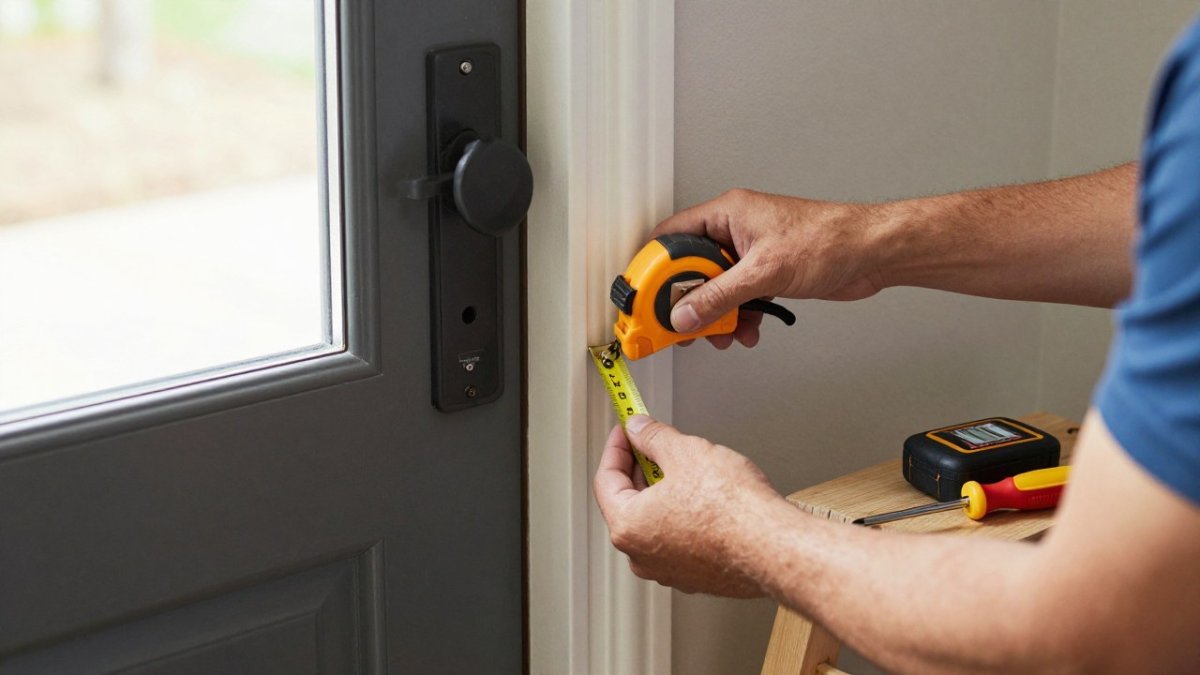
Compatibility is the step most people skip, and it's the one that sinks the project. Before buying, confirm door thickness, bore hole diameter, backset, and whether the existing deadbolt is a standard cylindrical prep or something unusual.
Work through this checklist in order, and write the numbers down before you shop:
- Door thickness: Measure at the lock edge, not the door center. Most residential doors run 1-3/8 to 1-3/4 inches; a lock rated for that range will not clamp securely on a 2-inch door without a spacer kit.
- Bore hole: A standard cross-bore is 2-1/8 inches with a 1-inch edge bore. A retrofit lock often reuses these holes; a full replacement may not.
- Backset: Measure from the door edge to the center of the bore. Common sizes are 2-3/8 and 2-3/4 inches. Getting this wrong means the bolt won't align with the strike.
Retrofit or Full Replacement?
Once you have the numbers, the decision usually falls into one of three buckets:
- Direct retrofit: Standard 2-1/8-inch cross-bore, 1-inch edge bore, 2-3/8- or 2-3/4-inch backset, and thickness inside the lock's rated range. Most retrofit keypad and smart locks drop onto this prep.
- Retrofit with minor adjustment: The prep is close but the strike needs to move, the frame needs a reinforcement plate, or the door needs a spacer. Still a one-visit job, but not a pure drop-in.
- Full replacement or door prep: The door is mortise-locked, has a non-standard bore, is outside the lock's thickness range, or the frame can't carry the hardware. Here the lock choice follows the door.
Buying a retrofit lock before pulling the old hardware is one of the most expensive mistakes in this project.
If your door prep is non-standard, or you're unsure whether the frame can carry the added hardware, our guide to commercial door hardware installation services walks through the deeper checks. Measure first, buy second.
Step 2: Pick the Access Method (Keypad, Fingerprint, or Smartphone)
The access method decides how the lock behaves day to day, so pick based on who needs in and how often. A keypad is the workhorse: codes are easy to issue, revoke, and use.
- Keypad: Best for family, staff, and tenants. Supports temporary codes and one-time codes.
- Fingerprint reader: Best for a stable household or a small team. No code sharing, but enrollment takes a minute per person.
- Smartphone and remote access: Best when you travel or manage multiple properties. Requires Wi-Fi or Bluetooth connectivity and an app.
A backup key or key override is not optional. Every electronic lock should have a mechanical way in when the battery dies or the electronics fault.
Step 3: Install and Test the Electronic Lock Access Control Setup
Installation follows a predictable sequence, and testing at each stage saves a return visit. Steps vary by model, but this order holds for most residential and light commercial electronic locks.
- Remove the old deadbolt and inspect the door edge and frame for damage.
- Confirm the new lock's bolt aligns with the existing strike or adjust the strike.
- Mount the exterior keypad or reader and the interior thumbturn or assembly.
- Connect the power source and confirm the motor throws and retracts the bolt.
- Pair the lock to its app or hub if it uses wireless access.
- Set the master code, then add individual codes or credentials.
- Test every credential from both sides, including the key override.
- Run the bolt ten times to confirm smooth operation and check for binding.
Watch out: a bolt that binds against a misaligned strike will burn through the motor over time. If the bolt drags, fix the strike alignment before calling the install finished.
Step 4: Plan for Batteries, Lockouts, and Backup Keys
Battery life and lockout planning are where electronic locks earn or lose their reputation. Most run on AA batteries and give a low-battery alert before failing, but the alert only helps if someone acts on it. The bigger gap in most households is the absence of a written plan for the ways an electronic lock can refuse entry.
The Failure Modes to Plan For
- Dead battery: Most models have a mechanical key override, and many support a 9-volt jump or external power pack at the exterior terminals. Know which one your lock uses before you need it.
- Lost or dead phone: If the lock relies on a smartphone app and Bluetooth, a dead phone is a lockout. The keypad code and mechanical key are the backups; make sure every household member knows at least one.
- Network or hub outage: Wi-Fi and hub-based locks can lose remote access while the local keypad still works. Confirm which functions are local and test the local code with the router off once.
A Household Backup Procedure That Actually Works
Write this down and keep a copy where every adult in the house can find it:
- Name a primary and a secondary code holder. At least two people outside the household should hold a code or key, a neighbor, family member, or property manager.
- Store the mechanical backup key off-site. Not in the mailbox, under the mat, or in the garage. A trusted neighbor or a safe is the usual answer.
- Record the master code and the lock's model number in a secure place separate from the lock. The model number tells a locksmith the override procedure.
- Put battery replacement on a calendar and replace on schedule, not on warning.
- Test the low-battery alert and key override once a year so you know they still work.
- Give visitors and contractors temporary codes with an expiration date, and revoke them when the job is done.
Watch out: a lock that depends on a hub or cloud service can become unusable if the manufacturer discontinues the app or service. Before buying, confirm the lock still works locally, keypad and key override, without the app, and check for a published support timeline.
If you're locked out and the battery is dead, a locksmith can often restore access without damaging the door. For businesses weighing the risk, our guide to commercial door lock installation insurance covers liability and planning.
Commercial Electronic Door Locks and Keypad Options for Businesses
Commercial electronic door locks are generally built for heavier use and stricter access control than residential models, and the difference matters on a storefront or office door.
For Omaha-area businesses comparing options, our commercial locksmith in Omaha page covers business rekeys, door hardware, and lockouts. The selection criteria that matter most:
- Duty rating: Match the lock to traffic. A back door used ten times a day is not a main entrance used hundreds of times.
- Audit trail: Some commercial locks log every entry, which helps with investigations and accountability.
- Code capacity: Count how many unique users you need. Staff, managers, cleaning crews, and contractors add up fast.
Commercial Keypad Door Locks: Managing Codes for Staff and Tenants
Keypad door locks make code management the core job, and a sloppy code list is a security gap. Assign one code per person, never share codes between staff, and revoke the code the day someone leaves.
Property managers juggling multiple units should keep a written code log with issue and revoke dates. Our guide to locksmith services for property management covers bulk rekeying and routine lock changes for rental portfolios.
Commercial Door Lock Installation: What to Expect and What It Costs
Commercial door lock installation is a bigger job than a residential swap because the hardware must meet the door's rating and the building's access needs.
Pricing depends on the hardware, the door type, and whether wiring is involved, so we quote each job rather than publish a flat rate. Get a written scope before work starts so there are no surprises.
Book a Council Bluffs Electronic Lock Upgrade With Blackshirt Lock & Key
At Blackshirt Lock & Key, we install residential and commercial-grade locks on-site, so there's no shop drop-off and no waiting room.
Call us to book a Council Bluffs electronic lock upgrade and get your door measured and quoted before you buy hardware.
If you're tired of copying keys every time a tenant moves out or a staff member leaves, an electronic lock solves the problem at the source.
Frequently Asked Questions
How do you upgrade a traditional door lock to an electronic lock?
Start by measuring the door thickness, backset, and existing deadbolt bore hole so the new unit fits. Remove the old deadbolt, install the electronic lock body and interior thumbturn, then connect the keypad or fingerprint reader and set an access code. Test the lock with the door open before closing it. Keep a backup key or key override accessible in case the battery dies, and confirm the lock sits flush so the bolt throws cleanly.
Can an electronic lock replace a standard commercial deadbolt?
In most cases yes, provided the door has a standard 2-1/8 inch cross bore and 1-inch edge bore. Commercial electronic door locks are built for heavier use and often need reinforced strikes or grade-rated hardware. Check the door material, frame, and fire-rating requirements before buying. A locksmith can confirm the retrofit will work without drilling new holes or voiding the door's rating.
What happens if an electronic lock loses power or stops working?
Most electronic locks run on AA batteries with a low-battery alert and a key override or external power terminal for backup. If the battery dies, you can usually open the door with the mechanical key or a 9-volt jump. For commercial keypad door locks, keep a documented backup code and a physical key stored off-site. Test the override quarterly so it works when you actually need it.
How much does it cost to install an electronic lock on a commercial door?
Hardware costs vary widely by grade, access method, and whether the unit includes Wi-Fi or audit trails. Professional installation adds labor that depends on door type, wiring, and whether the frame needs reinforcement. Because pricing depends on the specific door and hardware, request a quote from Blackshirt Lock & Key for current rates. Budget separately for ongoing battery replacement and any smart-home or access control integration.