 How-to
Commercial Door Access Systems: How to Choose the Right Setup
Last Updated: November 9, 2026
Quick Summary
To choose a commercial door access system, map every door and its daily traffic first, then pick credentials, hardware rated for heavy cycles, and cloud or on-premise management. Build a five-year cost view and confirm egress compliance before signing, because commercial door access decisions start with the building, not the hardware catalog.
- Count daily users per door and flag egress conditions before shopping for hardware.
- Grade 1 hardware is the top Builders Hardware Manufacturers Association rating for high-traffic doors.
- Fail-safe hardware unlocks when power is lost and is required on exit doors.
- Cloud-managed controllers keep a local credential copy so doors open during internet outages.
- Ask every vendor for the five-year total cost, not the day-one install quote.
Table of Contents
- Step 1: Map Your Building and Traffic Flow
- Step 2: Choose Credentials and Authentication Methods
- Step 3: Select the Best Commercial Door Hardware for High Traffic Areas
- Step 4: Compare Cloud-Based vs On-Premise Access Control
- Step 5: Understand Commercial Access Control System Installation Cost
- Step 6: Plan for Cybersecurity and Post-Installation Support
- Step 7: Verify Local Compliance and Hire a Qualified Installer
- Get Your Commercial Door Access System Installed
- Frequently Asked Questions
Step 1: Map Your Building and Traffic Flow
Choosing a commercial door access system starts with the building, not the hardware catalog.
A common mistake is an owner wanting card readers on every door, then learning half are fire exits that must stay mechanically openable.
Start with a simple traffic flow analysis:
- Count daily users per door. Include staff, visitors, and deliveries.
- Identify peak hours. A morning rush changes hardware wear more than total volume.
- Flag egress conditions. Any door on a public exit path has legal opening requirements.
Access control restricts entry to authorized people and keeps a record of who came through.
Write it down before you shop. A one-page door-by-door list prevents buying hardware that fights your building.
Step 2: Choose Credentials and Authentication Methods
Credentials decide how people prove they belong. The four common options are keypads, RFID key cards, mobile credentials, and biometric authentication, and most businesses mix two of them.
- Keypads are the cheapest entry point but the weakest. Codes get shared, and you cannot tell who used them.
- RFID readers issue a card or fob per person. You can revoke one card without rekeying anything.
- Mobile credentials put the card in a phone, which cuts replacement costs and suits younger staff.
Credential management is the ongoing work of issuing, tracking, and revoking these items. High tenant turnover needs easy revocation; a warehouse with steady staff may value speed over flexibility.
Multi-factor authentication combines two methods, such as a card plus a code, for high-security rooms like server closets or cash offices. We recommend it only where the risk justifies the friction.
Step 3: Select the Best Commercial Door Hardware for High Traffic Areas
The best commercial door hardware for high traffic areas is rated for heavy daily cycles and paired with a lock that fails safely.
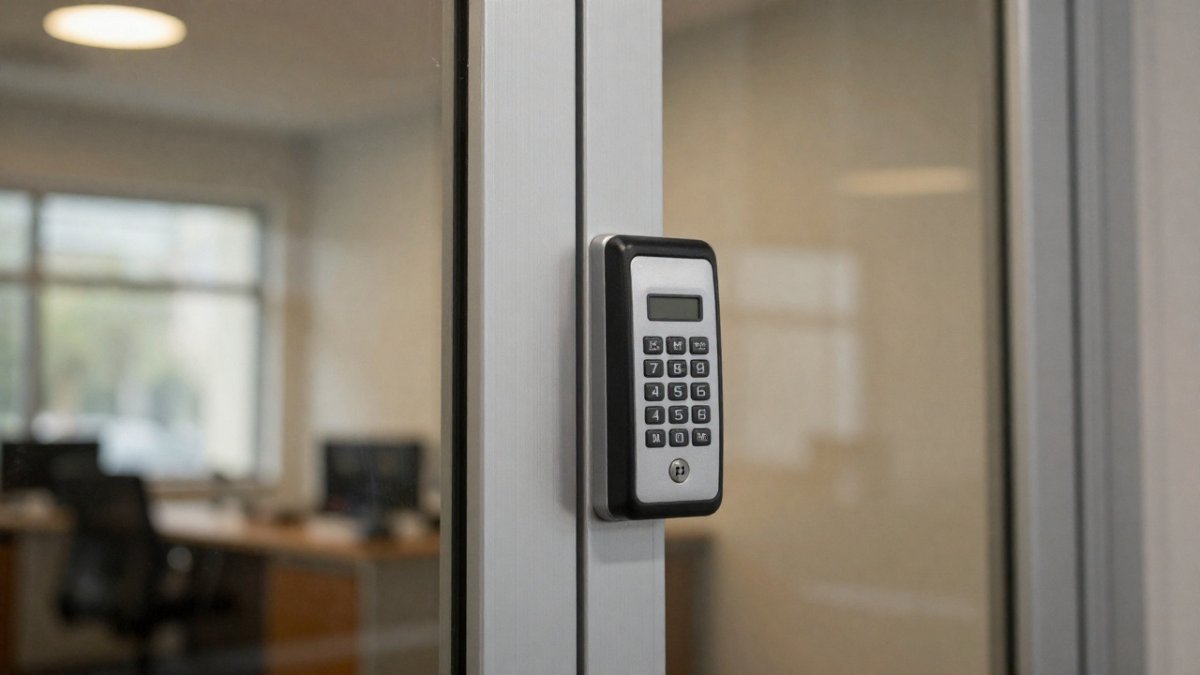
Three components do most of the work:
- Electric strikes replace the standard strike plate and release the latch when a valid credential is read. They work with most existing locks and are the easiest retrofit.
- Magnetic locks hold the door with electromagnet force. They are strong and simple, but must release automatically on a fire alarm.
- Door controllers are the brains that check credentials and tell the lock what to do.
Two terms decide safety here. Fail-safe hardware unlocks when power is lost, which is required on exit doors. Fail-secure hardware stays locked when power drops, which suits storage rooms but never a path of egress.
For a deeper look at matching hardware to door types, our guide to commercial door hardware installation services covers installation in detail.
Step 4: Compare Cloud-Based vs On-Premise Access Control
The cloud-based vs on-premise access control decision comes down to where the software runs, where the credential database lives, and who is on the hook when a door fails at 2 a.m. For an established Council Bluffs building, the practical answer is usually a hybrid, treat this as a migration decision, not a binary one.
How the three architectures actually differ
- Cloud-managed (hosted) access control. The vendor runs the management software and credential database in its data centers. Controllers at your doors keep a local copy of the credential list, so doors continue to open on their last-known permissions if the internet drops. You manage everything through a browser or mobile app. Recurring fees are typically billed per door per month.
- On-premise (server-based) access control. A server or appliance sits in your building. The credential database, software, and backups are yours. You (or your IT provider) patch the OS, apply updates, and replace the server every several years.
- Hybrid. On-premise controllers at the doors with cloud management above them, or a cloud system with an on-site appliance caching credentials. This is the most common real-world configuration in buildings with existing wiring and legacy panels, because it lets you keep working hardware and upgrade the management layer first.
| Factor | Cloud-Managed | On-Premise Server | Hybrid |
|---|---|---|---|
| Upfront cost | Lower hardware spend; subscription starts day one | Higher server and licensing cost | Moderate; reuses existing controllers |
| Remote management | Yes, from any browser or app | Limited to the network or VPN | Yes, cloud layer over local control |
| Maintenance | Vendor handles software updates | You patch OS and software | Split; confirm who owns each layer |
| Internet outage | Local door control continues on cached credentials | Fully self-contained | Local control continues |
| Data location | Vendor data centers | Inside your building | Depends on configuration |
| Best for | Multi-site operators and small teams without IT staff | Large single sites with IT staff and strict data rules | Buildings with legacy hardware and a phased budget |
The migration question most guides skip
If your building already has card readers, electric strikes, and a working panel, a full rip-and-replace is rarely the right first move. A common pattern is to keep the door hardware and controllers, replace only the head-end software, and move to cloud management in phases, one building or floor at a time. Ask any vendor three questions before signing:
- Which existing controllers and readers are compatible with the new management platform, and which must be swapped?
- Who owns the credential database if you change vendors, and can you export it in a usable format?
- What happens to door operation during the cutover weekend, will cards issued under the old system still work on Monday?
A phased migration usually costs less upfront than a full replacement and shortens the window when staff carry two credentials.
Cybersecurity is part of the hosting decision
A networked controller is a small computer on a door, so it belongs in your IT security conversation, not just your locksmith conversation. Confirm these before go-live:
- Encryption in transit and at rest. Traffic between readers, controllers, and the server should be encrypted with current TLS; stored credential data should be encrypted at rest.
- Default credentials changed on day one. The most common failure we see is a system still running the vendor's default admin login months after installation. Anyone on your network can then add their own credentials.
- Firmware update path. Confirm who pushes firmware updates and how quickly a published security patch reaches your controllers.
Watch out: a cloud system with weak local fallback can lock staff out during an ISP outage, and an unpatched on-premise server becomes the softest target in the building. Ask the vendor to demonstrate offline door behavior and the patch process before you sign.
Ask one question to break the tie: do you have someone who will patch a server and own backups? If not, cloud or hybrid is the safer default.
Step 5: Understand Commercial Access Control System Installation Cost
Commercial access control system installation cost depends on door count, hardware grade, wiring, and whether the building already has power and network runs at each opening. Any provider who quotes a flat number before seeing your doors is guessing. Build a budget range from the drivers below, then compare written quotes line by line.
What drives the number
- Number of doors. Each opening needs its own reader, lock, and controller channel. A single-door system and a 20-door system share almost no economy of scale on hardware.
- Wiring. Existing low-voltage runs cut labor significantly. New conduit, trenching, or core drilling raises it, and older masonry or historic storefronts raise it further.
- Hardware grade. Grade 1 hardware, the top rating under the Builders Hardware Manufacturers Association scale, costs more upfront and lasts longer on high-traffic doors. Grade 2 is often adequate on low-traffic interior doors.
Total cost of ownership, not just the install quote
The installation invoice is the smallest part of the decision for most buildings. Build a five-year view that includes:
- Hardware and installation (one-time).
- Software subscription or license renewals (recurring).
- Credential issuance, cards, fobs, and mobile licenses per user, plus replacement costs when cards are lost.
- Service and maintenance, labor for lockouts, failed readers, and battery or power-supply replacement.
- Server replacement or cloud migration if you chose on-premise.
- Staff time for credential administration and audit-log review.
A lower install quote with a higher per-door subscription can cost more by year three. Ask every vendor for the five-year total, not the day-one total.
Vet post-installation support before you sign
Put three commitments in writing:
- Response time for a door that will not open. Ask for the actual target, same-day, next-business-day, or 24/7, and whether after-hours calls carry a premium.
- Software license ownership. If you change providers, can you take the credential database and the license with you, or do you start over?
- Maintenance contract scope. Confirm whether the contract covers hardware replacement or labor only, and what is excluded (batteries, power supplies, and reader failures are common exclusions).
For a realistic budget, get a written quote after a site walk. Our pricing is straightforward with no hidden fees, and you can see current rates on our pricing page before anyone visits.
Step 6: Plan for Cybersecurity and Post-Installation Support
A networked lock is a computer on a door and needs the same care. Change default passwords on day one, keep firmware current, and confirm the system uses modern encryption protocols between readers, controllers, and the server.
Watch out: the most common failure we see is a system still running the vendor's default admin login months later, letting anyone on your network add their own credentials.
Post-installation support deserves a written agreement. Confirm three things before signing:
- Response time for a door that will not open.
- Who owns the software license if you change providers.
- Whether maintenance contracts include hardware replacement or labor only.
Audit trails are the other half of support.
Step 7: Verify Local Compliance and Hire a Qualified Installer
Compliance comes before the drill hits the wall. In Council Bluffs and across Iowa, commercial doors on an exit path must meet egress rules that keep them openable without a key or code during an emergency.
Confirm with the city or county building department before installation.
Hiring well matters as much as the hardware. Check these before you sign:
- Proof of insurance for commercial work, in writing
- Experience with your building type, not just homes
- A written scope naming every door and component
For a deeper checklist, read our guide on how to choose a reliable locksmith. And if you are weighing who carries the risk on the job, our article on commercial door lock installation insurance explains what coverage to ask for.
Get Your Commercial Door Access System Installed
Getting the system right means matching hardware to real traffic, planning support before the first lockout, and hiring an installer who will still answer the phone a year later. That is the gap we fill.
If you are ready to secure your building, call now and get a site walk scheduled. Businesses in Council Bluffs can reach our Council Bluffs commercial locksmith team, and Omaha-area owners can book commercial locksmith service.
A commercial door that locks reliably and opens on command is not a luxury; it is the difference between a controlled building and an open one.
Frequently Asked Questions
What are the different types of door access control systems?
There are three main types: standalone systems (one door, no central control), networked systems (multiple doors connected to a server), and cloud-based systems (managed remotely via the internet). Standalone is cheapest for single doors, networked offers central control, and cloud-based provides remote management and automatic updates. Your choice depends on the number of doors, budget, and whether you need remote access.
What is the average cost of installing an access control system per door?
Costs vary widely by hardware, credential type, and installation complexity. A basic standalone keypad system might start lower, while a networked system with mobile credentials and cloud management costs more per door. For accurate pricing in the Omaha and Council Bluffs area, contact Blackshirt Lock & Key for a quote based on your specific door count and building layout.
How do cloud-based access control systems differ from on-premise systems?
Cloud-based systems store data on remote servers, allowing you to manage access from anywhere via a web browser or app. They often have lower upfront costs and automatic updates. On-premise systems store data on a local server, giving you full control but requiring IT maintenance and higher upfront investment. Cloud-based is ideal for multi-site businesses, while on-premise suits high-security facilities with limited internet.
How does a professional locksmith assist with access control installation?
A professional locksmith handles site assessment, hardware selection, wiring, installation, and testing. They ensure doors meet egress and fire codes, integrate with existing locks, and provide training. For commercial properties in Council Bluffs, Blackshirt Lock & Key offers fully insured service.