 How-to
Are Commercial Security Upgrades Liability Risks?
Quick Summary
Commercial security upgrades create liability risk from the installation work, the contractors doing it, and how the system is used afterward. Owners reduce that exposure by planning for all three, keeping thorough documentation, and verifying contractor insurance before work begins.
- Installation errors can create code violations, safety hazards, or blocked exit paths.
- Ask the installer in writing which permits the city of Council Bluffs requires for the work.
- Photograph the existing system and door conditions before any work begins.
- Require certificates of insurance from every installer and subcontractor before work starts.
- Phase the upgrade so exterior doors are secured first and each phase ends with a test.
Table of Contents
How a Commercial Security Upgrade Creates Liability Exposure
Upgrading a commercial security system protects a business, but commercial security upgrades also create new legal exposure. Every new camera, lock, keypad, and alarm panel is a point where something can go wrong. A poorly installed door can jam during a fire evacuation. A camera that records audio without proper notice can trigger privacy claims. A system that fails to unlock during an emergency can expose the owner to injury lawsuits.
Liability risk usually comes from three sources: the work itself, the people doing it, and the way the system is used afterward. Owners who plan for all three avoid most surprises.
- Installation errors that create code violations or safety hazards
- Contractor mistakes or damage to the property during work
- Privacy and data handling problems after the system goes live
- Gaps in insurance coverage for the installer and the business
Owners often focus on the hardware and forget the paperwork that protects them. The hardware matters, but the documentation and contracts matter just as much when something goes wrong.
Watch out: a lock that is installed correctly but blocks an egress path can create serious liability even when nothing has been stolen.
Commercial Security System Upgrade Checklist for Council Bluffs Businesses
Before any commercial security upgrades start, Council Bluffs business owners should confirm a few basics. Local building and fire officials can explain which permits and inspections apply to your building, so check with them before the first install date.
Use this checklist as a starting point:
- Confirm which permits the city of Council Bluffs requires for the work
- Ask the installer for proof of general liability and workers' compensation insurance
- Get a written scope of work that lists every device and door involved
- Confirm who handles fire code and egress review for doors with new hardware
- Record the existing system and door conditions with photos before work begins
- Agree on a schedule that limits downtime for staff and customers
- Confirm who holds the master keys and administrator credentials after install
Many owners skip the permit question, assuming the installer handles it. Ask directly and get the answer in writing.
Phasing the Upgrade So Your Business Stays Protected
A full system replacement in one weekend sounds efficient, but it can leave a business unprotected during the switchover. A phased plan keeps doors secured throughout the project.
Start with the highest-risk entry points, such as rear doors, server rooms, and cash areas. Install and test those first. Move to lower-risk areas once the first phase is stable.
- Phase one: replace locks and access points on exterior doors
- Phase two: add cameras and alarm sensors at key approaches
- Phase three: integrate monitoring, alerts, and user accounts
Each phase should end with a test. Confirm that doors lock, alarms trigger, and cameras record before moving on. Keep a backup method of entry during each cutover, such as a temporary key or a staff override procedure.
Commercial Access Control Installation Risks to Plan For
Access control systems carry the most legal risk of any of the commercial security upgrades a business can make. A keypad or badge reader that controls a door affects safety, staff access, and emergency exits all at once.
Plan for two main risks: blocked exits and unauthorized access. A door that needs a credential to open from the inside can trap people during a fire. A door left unlocked by a faulty install can expose the business to theft or assault claims.
Fire Egress and Door Hardware Code Compliance
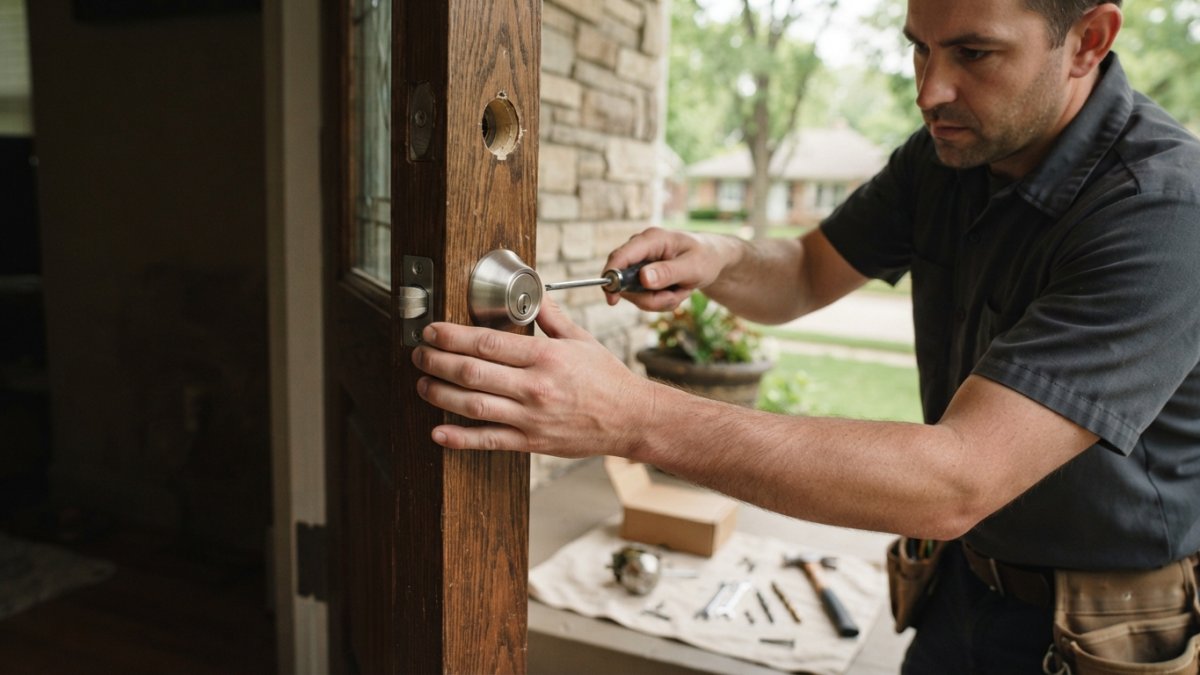
Door hardware on exit routes must allow people to leave without a key, tool, or special knowledge. Many access control installs fail this test because the installer focused on security and missed the exit requirement.
Ask any installer to confirm that every egress door has hardware that releases from the inside. Have the local fire official review the final layout before you sign off. Document that review in your project file.
Contractor and Subcontractor Risk Allocation
Most commercial installs involve a general contractor and one or more subcontractors. Responsibility for damage, injury, and code errors can get blurred between them.
Your contract should state who is responsible for:
- Damage to doors, frames, and walls during installation
- Injuries to workers on site
- Code and permit compliance for each trade
- Repairs needed after a failed inspection
Require certificates of insurance from every subcontractor before work begins. Review the limits and confirm they cover the scope of your project.
Commercial Security Upgrade Documentation That Protects You
Good records are your strongest defense if a claim arises. Keep a project file that includes the signed scope of work, permits, inspection reports, photos of the existing and finished installation, and the list of issued keys and credentials.
Store copies in a secure location outside the building. A guide to locksmith services for property management records explains how to organize these files for property workflows. Note who received each key or access card and when. Update the file whenever a door, user, or device changes.
Security System Installer Liability Insurance: What to Verify
Before hiring an installer, verify their insurance in writing. A guide to what installer insurance should cover walks through each policy type to check. Ask for a certificate of insurance that names your business as an additional insured where possible.
- General liability insurance for property damage and bodily injury
- Workers' compensation coverage for the installation crew
- Professional liability coverage for design and programming errors
- Proof that coverage is current for the full length of the project
Ask your own insurance agent whether your policy covers losses tied to a newly installed system. Some policies exclude damage from unapproved modifications, so confirm before work begins.
Booking a Lock and Security Upgrade With Blackshirt Lock & Key
A well-planned upgrade protects your business from the start. If you are ready to plan a commercial lock or security project in Council Bluffs, contact our commercial locksmith team in Council Bluffs to discuss your doors, access points, and timeline. You can also call us at 712-355-8741 to talk through the next steps.
Our fully insured team handles commercial rekeys, lock changes, door hardware, and access upgrades. We can help you think through the documentation and insurance questions covered above before any work starts.
Frequently Asked Questions
Can a security upgrade affect a business's insurance coverage?
Yes. An upgrade can change how an insurer rates your property, and undisclosed changes to locks, alarms or access systems can complicate a claim. Notify your insurance agent before work begins, keep the installer's certificate of insurance on file, and ask whether your policy requires specific door hardware or alarm monitoring. Written confirmation from your agent is the simplest way to avoid surprises after an incident.
Who is responsible if a security upgrade leaves a commercial door or exit unsafe?
Responsibility is usually shared. The installer can be liable for defective work, while the property owner remains responsible for compliance with building and fire codes that apply to exits. Your contract should state who is responsible for code-compliant egress hardware, who performs final testing, and who signs off on acceptance. Check the local fire marshal and building department requirements for Council Bluffs before finalizing the scope.
What should a commercial security upgrade contract include?
A solid contract defines the scope of work, the equipment specifications, the installation schedule, and the testing and acceptance criteria. It should also address who provides permits, how changes are priced, warranty length, insurance requirements for the installer and subcontractors, and limitations of liability. Ask for a written list of keys, codes and admin credentials delivered at handover, and confirm how and when the system will be training-tested with your staff.
When should a business consult a qualified security or insurance professional?
Consult a professional before signing a contract, before changing exit hardware, and whenever the upgrade involves access control tied to employee records or video retention. An insurance agent can confirm coverage, and an attorney can review contract risk allocation for larger projects. Blackshirt Lock & Key is fully insured, and you can request a quote directly from the company through our website.